Incident Reporting Software – A Detailed Overview!
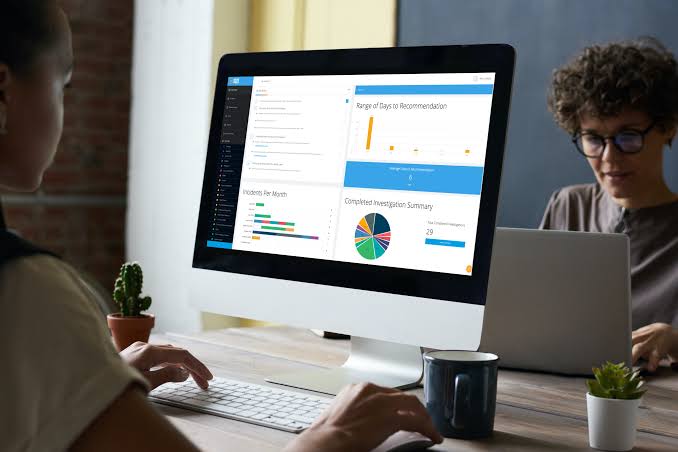
Workplace incidents, safety concerns, compliance violations, and operational risks can significantly impact organizations of all sizes. This is where Incident Reporting Software plays a critical role. Modern incident reporting systems help businesses capture, track, investigate, and resolve incidents efficiently while improving workplace safety and regulatory compliance.
Whether you’re managing a manufacturing facility, construction site, healthcare organization, or corporate workplace, the right incident reporting software can streamline workflows, automate reporting processes, and reduce risks. This guide covers everything you need to know about incident reporting software, including features, benefits, use cases, software comparisons, and future trends.
What Is Incident Reporting Software?
Incident Reporting Software is a digital platform designed to document, track, investigate, and manage workplace incidents, safety events, near misses, injuries, hazards, compliance issues, and operational disruptions.
Unlike traditional paper-based reporting methods, modern incident management software provides centralized reporting, workflow automation, real-time notifications, and advanced analytics that help organizations improve workplace safety and risk management.
Common incidents managed through incident reporting systems include:
- Workplace injuries
- Safety violations
- Near-miss incidents
- Equipment failures
- Environmental incidents
- Compliance violations
- Security incidents
- Operational disruptions
How Incident Reporting Software Works
The incident lifecycle typically follows a structured workflow.
Incident Identification
Employees identify and report an incident using digital reporting forms.
Incident Submission
Information is submitted through desktop or mobile incident reporting tools.
Investigation Process
Managers conduct incident investigations and perform root cause analysis.
Corrective Action Tracking
Corrective and preventive actions (CAPA) are assigned to responsible personnel.
Resolution and Closure
The incident is reviewed, resolved, and documented for compliance purposes.
Reporting and Analytics
Data is analyzed through reporting dashboards to identify trends and prevent future incidents.
Key Features of Incident Reporting Software
Digital Incident Reporting Forms
Digital forms replace manual paperwork and allow employees to report incidents quickly and accurately.
Benefits
- Faster reporting
- Standardized documentation
- Reduced paperwork
- Improved data accuracy
Mobile Incident Reporting
Mobile incident reporting enables employees to submit reports directly from smartphones or tablets.
Benefits
- Real-time reporting
- Faster response times
- Photo and video uploads
- Field accessibility
Workflow Automation
Workflow automation reduces manual processes and improves incident management efficiency.
Benefits
- Automatic notifications
- Task assignments
- Escalation workflows
- Faster resolution times
Corrective Action Tracking
Organizations can track corrective and preventive actions from creation to completion.
Benefits
- Accountability
- Compliance management
- Reduced recurring incidents
- Better risk mitigation
Root Cause Analysis
Root cause analysis helps organizations identify underlying issues rather than addressing symptoms alone.
Benefits
- Improved problem-solving
- Better prevention strategies
- Long-term safety improvements
- Reduced operational risks
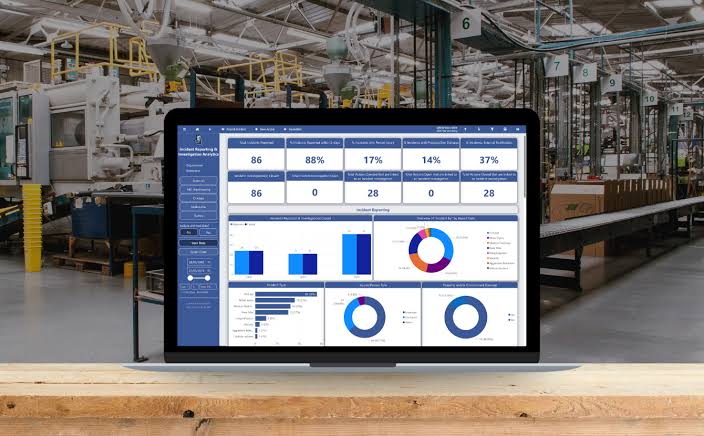
Reporting Dashboards and Analytics
Advanced dashboards provide actionable insights into safety performance and incident trends.
Benefits
- Real-time visibility
- KPI monitoring
- Risk analysis
- Compliance reporting
Benefits of Using Incident Reporting Software
Improved Workplace Safety
Organizations can identify hazards earlier and prevent future incidents.
Better Compliance Management
Automated documentation supports OSHA, ISO, HSE, and industry-specific compliance requirements.
Increased Operational Efficiency
Digital workflows eliminate manual processes and reduce administrative workloads.
Faster Incident Resolution
Real-time reporting and automated workflows accelerate investigations and corrective actions.
Enhanced Risk Management
Organizations gain greater visibility into risks, hazards, and safety trends.
Stronger Safety Culture
Easy reporting encourages employee participation in workplace safety programs.
Common Use Cases
Workplace Safety
Businesses use incident reporting platforms to document injuries, hazards, and safety observations.
Healthcare Incident Reporting
Healthcare organizations manage patient safety incidents, medical errors, and compliance reporting.
Construction Site Reporting
Construction companies track accidents, near misses, and safety violations.
Manufacturing and Industrial Operations
Manufacturers use incident tracking software to monitor equipment failures, injuries, and operational disruptions.
Environmental Health and Safety (EHS)
EHS teams rely on safety incident reporting software to manage compliance and risk reduction initiatives.
Incident Reporting Software vs Traditional Reporting Methods
| Feature | Incident Reporting Software | Traditional Reporting |
|---|---|---|
| Reporting Speed | Instant | Slow |
| Accessibility | Mobile & Cloud-Based | Paper-Based |
| Workflow Automation | Yes | No |
| Analytics | Advanced | Limited |
| Compliance Tracking | Automated | Manual |
| Corrective Actions | Tracked Automatically | Difficult to Monitor |
| Data Accuracy | High | Moderate |
Modern incident reporting systems significantly outperform traditional reporting methods in speed, accuracy, and efficiency.
How to Choose the Best Incident Reporting Software
Ease of Use
Choose software that employees can use without extensive training.
Mobile Accessibility
Mobile incident reporting is essential for field workers and remote teams.
Compliance Features
Ensure the platform supports your industry’s regulatory requirements.
Workflow Automation
Look for automated notifications, task assignments, and escalation processes.
Reporting Capabilities
Advanced reporting dashboards help organizations make data-driven decisions.
Integration Options
The software should integrate with existing HR, EHS, and operational systems.
Scalability
Select a solution that can grow with your organization.
Best Incident Reporting Software Solutions
SafetyCulture
A leading platform for workplace inspections, incident reporting, and safety management.
Best For:
Organizations seeking mobile-first safety reporting.
Intelex
A comprehensive EHS and quality management platform.
Best For:
Large enterprises with complex compliance requirements.
EHS Insight
Provides incident management, compliance tracking, and safety reporting tools.
Best For:
Mid-sized organizations focused on workplace safety.
Onspring
Offers highly customizable incident management workflows.
Best For:
Organizations needing flexible reporting processes.
PagerDuty
Widely used for IT incident management and operational response.
Best For:
Technology and IT operations teams.
Common Challenges and Solutions
Low Employee Reporting Rates
Solution:
Implement simple mobile reporting tools and encourage a positive reporting culture.
Delayed Investigations
Solution:
Use workflow automation and real-time notifications.
Incomplete Incident Data
Solution:
Use standardized digital reporting forms.
Compliance Risks
Solution:
Leverage automated compliance tracking and audit trails.
Future Trends in Incident Reporting Software
AI-Powered Incident Analysis
Artificial intelligence can identify patterns and recommend corrective actions automatically.
Predictive Risk Detection
Advanced analytics help organizations predict potential incidents before they occur.
Automated Compliance Reporting
Future platforms will generate compliance reports automatically.
Advanced Mobile Capabilities
Mobile reporting tools will continue to improve accessibility and reporting speed.
Cloud-Based Incident Management
Cloud technology will support real-time collaboration and centralized reporting.
Frequently Asked Questions
1. What Is Incident Reporting Software?
Incident reporting software is a digital solution used to record, investigate, track, and resolve workplace incidents, safety events, and compliance issues.
2. Why Is Incident Reporting Software Important?
It improves workplace safety, simplifies compliance management, and helps organizations reduce risks through structured incident management.
3. Can Incident Reporting Software Be Used on Mobile Devices?
Yes, most modern platforms support mobile incident reporting through smartphones and tablets.
4. What Industries Use Incident Reporting Software?
Common industries include healthcare, manufacturing, construction, energy, logistics, and corporate workplaces.
5. What Are the Main Features of Incident Reporting Software?
Key features include digital reporting forms, workflow automation, root cause analysis, corrective action tracking, compliance management, and reporting dashboards.
Conclusion
Incident Reporting Software has become an essential tool for organizations focused on workplace safety, compliance management, and operational efficiency. By combining digital incident reporting, workflow automation, corrective action tracking, root cause analysis, and advanced reporting dashboards, businesses can create a safer and more proactive work environment. Organizations that invest in a modern incident reporting system benefit from faster investigations, improved compliance, stronger risk management, and better decision-making. As technologies such as AI-powered incident analysis, predictive risk detection, and cloud-based reporting continue to evolve, incident reporting software will play an even greater role in helping businesses prevent incidents before they occur and maintain long-term operational excellence.