Laser Engraving Software – Top Tools for Beginners and Professionals!
Laser engraving software is the foundation of every successful laser engraving and laser cutting project. Whether you’re a hobbyist creating personalized gifts, a small business owner producing custom products, or an industrial manufacturer handling high-volume production, choosing the right laser engraving software can significantly impact efficiency, precision, and overall results.
Modern laser engraving software allows users to create, edit, and convert designs into machine-readable instructions for laser engravers. With advanced design tools, image processing capabilities, and machine control features, these programs make it easier than ever to produce detailed engravings on wood, acrylic, leather, metal, glass, and other materials.
In this guide, you’ll learn everything about laser engraving software, including how it works, key features, benefits, pricing, system requirements, and the best software options available in 2026.
What Is Laser Engraving Software?
Laser engraving software is a specialized computer program that creates and prepares digital designs for laser engraving and laser cutting machines. It acts as a bridge between your design and the laser engraver, converting artwork, text, logos, and images into instructions that the machine can understand.
Most laser engraving programs support vector and raster graphics, allowing users to engrave detailed photographs, custom artwork, and precise cutting patterns.
Common applications include:
- Personalized gifts
- Custom signage
- Product branding
- Industrial marking
- Jewelry engraving
- Wood engraving
- Acrylic cutting
- Leather customization
How Laser Engraving Software Works
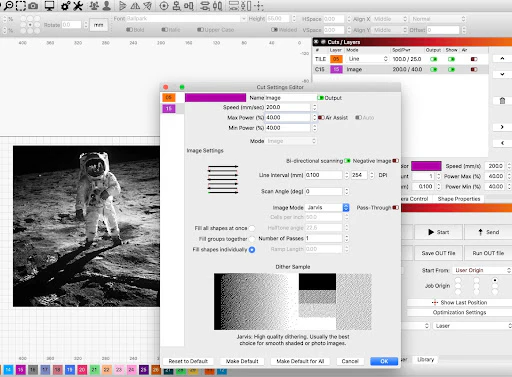
Laser engraving software follows a simple workflow.
Design Creation
Users create or import artwork using vector graphics, images, logos, or text.
Design Editing
The software provides editing tools for resizing, adjusting, and optimizing the design.
Machine Configuration
Users select engraving settings such as:
- Speed
- Power
- Resolution
- Material type
- Engraving depth
Job Processing
The software converts the design into machine instructions and sends them directly to the laser engraver.
Engraving Execution
The laser machine follows the instructions to engrave or cut the selected material with precision.
Key Features of Laser Engraving Software
The best laser engraving software includes powerful tools for design, machine control, and workflow optimization.
Vector Design Support
Vector graphics allow precise cutting and engraving paths for professional-quality results.
Image Processing Tools
Advanced image processing features help convert photos into engravable artwork while maintaining detail and clarity.
Material Presets
Many laser engraving programs include preconfigured settings for:
- Wood
- Acrylic
- Leather
- Glass
- Stainless steel
- Aluminum
These presets reduce setup time and improve consistency.
Machine Compatibility
Quality laser engraving software supports multiple laser engraver brands and machine types.
Preview and Simulation
Preview modes allow users to see how the design will appear before starting the engraving process.
Batch Processing
Businesses can engrave multiple designs efficiently using automated workflows and batch processing tools.
Benefits of Using Laser Engraving Software
Improved Accuracy
Laser engraving software ensures precise positioning and engraving consistency.
Faster Production
Automation features reduce manual work and speed up production.
Better Design Control
Users can customize every aspect of a project before engraving begins.
Cost Efficiency
Accurate settings help minimize material waste and production errors.
Professional Results
Advanced tools enable high-quality engravings suitable for commercial applications.
Best Laser Engraving Software in 2026
LightBurn
LightBurn is one of the most popular laser engraving software solutions available today.
Best For:
Small businesses, hobbyists, and professional users.
Key Features:
- Powerful editing tools
- Broad machine compatibility
- Camera integration
- Layer management
LaserGRBL
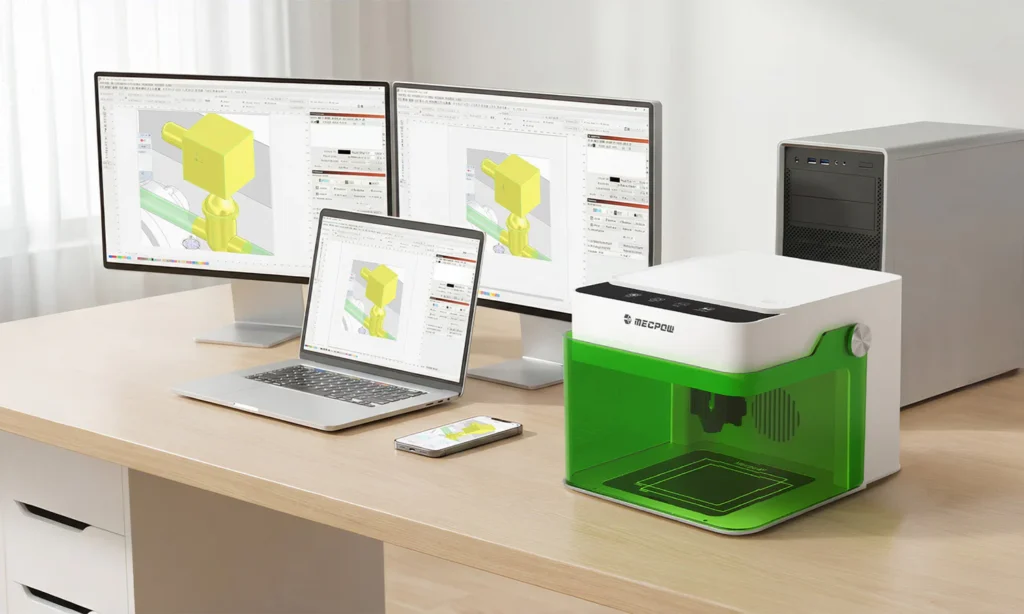
LaserGRBL is a free laser engraving software option designed for GRBL-based laser machines.
Best For:
Beginners and budget-conscious users.
Key Features:
- Free to use
- Easy setup
- Simple interface
- Image engraving support
RDWorks
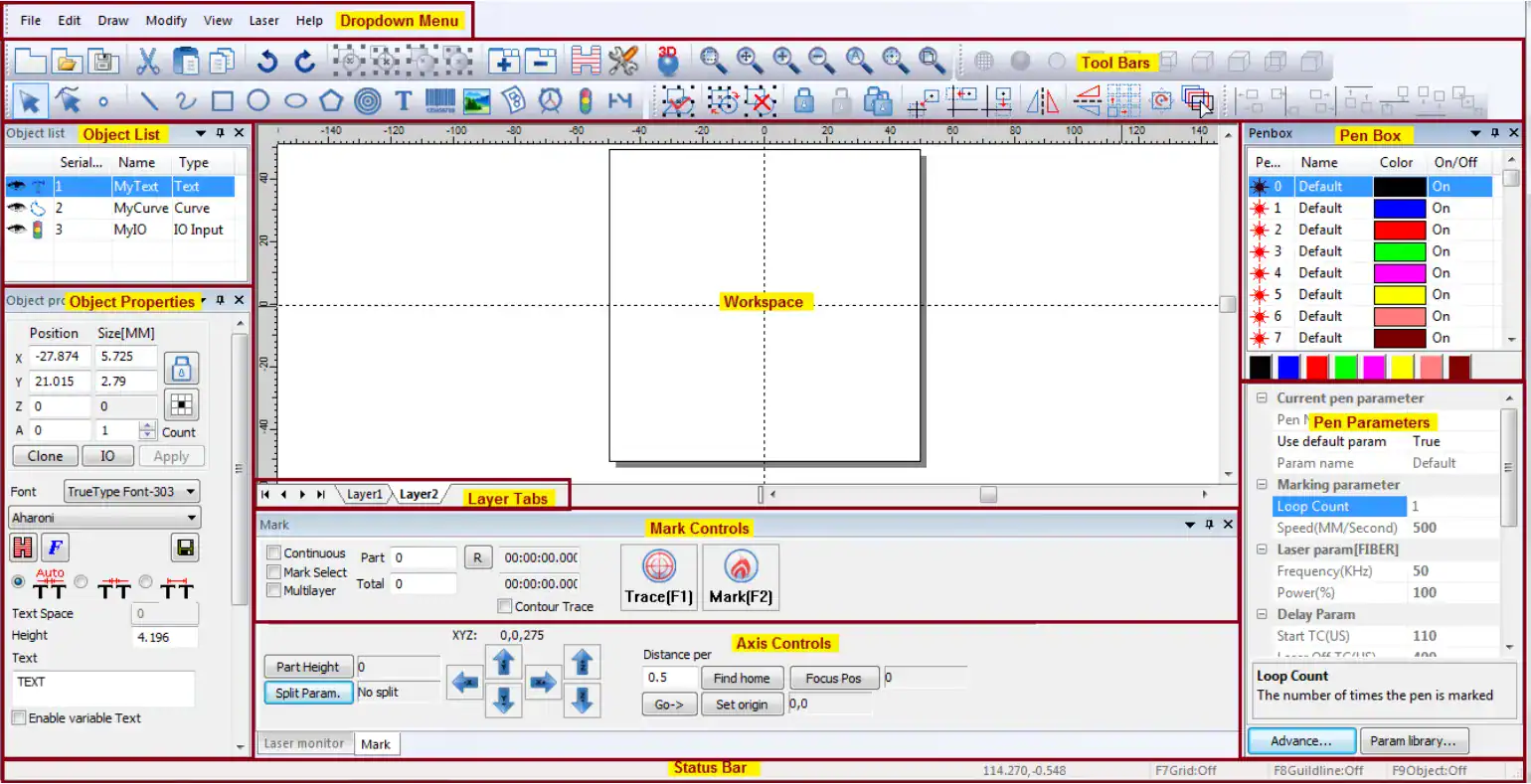
RDWorks is commonly used with Ruida controller-based laser systems.
Best For:
CO2 laser engravers.
Key Features:
- Vector editing tools
- Layer control
- Cutting optimization
- Material settings
CorelDRAW
CorelDRAW is widely used for creating professional laser engraving designs.
Best For:
Graphic designers and professional engraving businesses.
Key Features:
- Advanced vector design tools
- Precision editing
- Extensive file compatibility
Adobe Illustrator
Adobe Illustrator remains a leading design platform for laser engraving workflows.
Best For:
Professional designers.
Key Features:
- Industry-standard design tools
- High-quality vector graphics
- Extensive plugin support
How to Choose the Right Laser Engraving Software
When selecting laser engraving software, consider:
Machine Compatibility
Ensure the software supports your laser engraver model.
Ease of Use
Beginners should prioritize intuitive interfaces and simple workflows.
Design Features
Professional users often require advanced editing and vector design capabilities.
Budget
Options range from free software to premium commercial solutions.
Technical Support
Reliable customer support and active user communities can be extremely valuable.
Laser Engraving Software Pricing
Pricing varies significantly based on functionality.
Free Software
- LaserGRBL
- Open-source solutions
Mid-Range Software
- LightBurn
- RDWorks
Professional Software
- CorelDRAW
- Adobe Illustrator
Businesses should evaluate both upfront costs and long-term productivity benefits.
Frequently Asked Questions
1. What Is the Best Laser Engraving Software?
LightBurn is widely considered one of the best laser engraving software options due to its powerful features and broad compatibility.
2. Is There Free Laser Engraving Software?
Yes, LaserGRBL is a popular free laser engraving software solution for GRBL-based machines.
3. Can Beginners Use Laser Engraving Software?
Yes, many programs offer beginner-friendly interfaces and tutorials.
4. What File Formats Are Supported?
Most software supports SVG, DXF, AI, PNG, JPG, PDF, and other common file formats.
5. Does Laser Engraving Software Work With All Machines?
No. Compatibility varies by software and laser engraver model, so always verify support before purchasing.
Conclusion
Laser engraving software is essential for creating accurate, high-quality engravings and improving production efficiency. Whether you’re a beginner or a professional, the right software can simplify design, enhance precision, and optimize workflow. From free tools to advanced platforms, there are options for every budget and skill level. Choosing software that matches your needs ensures better results and long-term success.